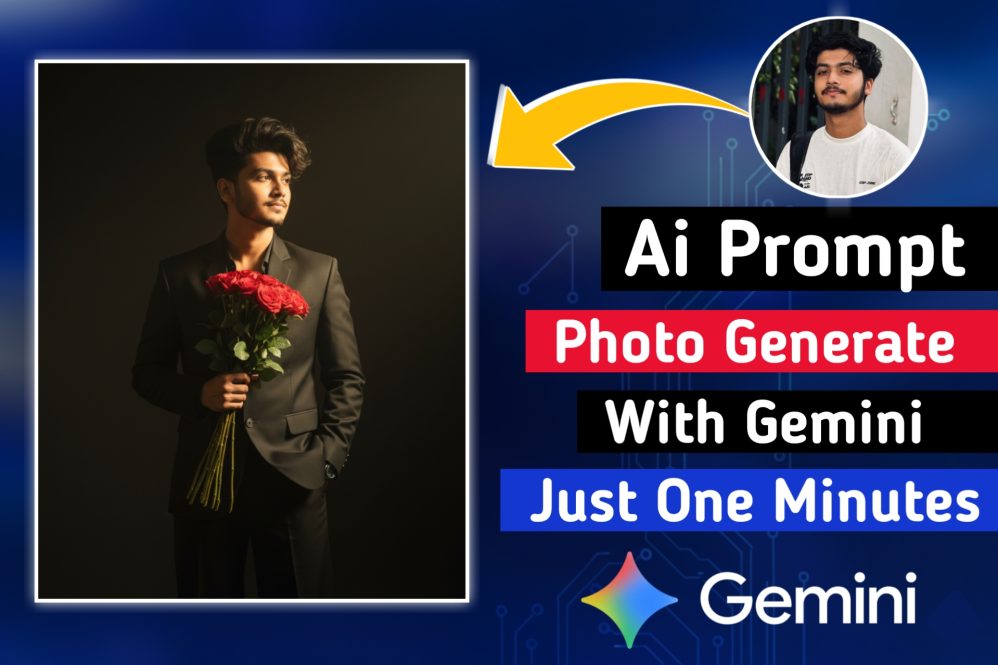
Ultra-Realistic AI Portrait With Gemini. Learn how to generate ultra-realistic cinematic portraits using Gemini AI with dramatic shadows and stylish composition. Step-by-step prompt and visual storytelling tips.
In today’s digital era, creating striking visual content is more important than ever. Whether you’re a blogger, designer, or digital creator, AI tools like Google Gemini have revolutionized how we visualize ideas. In this post, we’ll explore how to generate an ultra-realistic cinematic portrait of a stylish young man using a powerful Gemini prompt. We’ll also break down the visual elements that make the image stand out and show you how to incorporate it into your creative workflow.
Prompt Breakdown
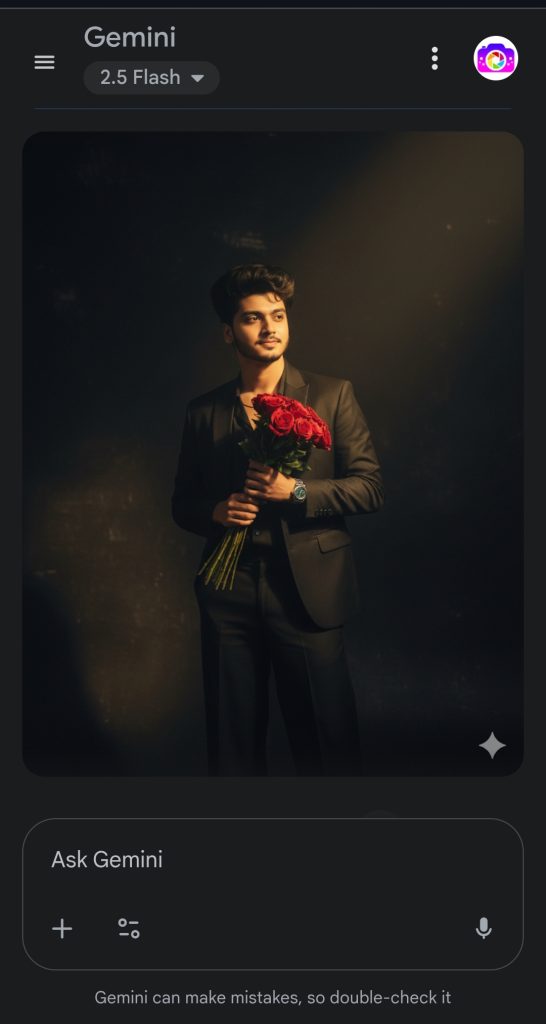
Here’s the exact prompt we used in Gemini: “Dramatic shadows. Ultra-realistic cinematic portrait of a stylish young man standing against a dark, minimal background with a soft golden sunlight beam casting. He is wearing a crisp, elegant black suit (blazer and wide-leg trousers) with one hand casually in his pocket and the other holding a bouquet of red roses close to his chest. His hair is voluminous and slightly tousled, styled naturally with texture. His expression is serene and confident, basking in the warm sunlight.”
Ultra-Realistic AI Portrait With Gemini.
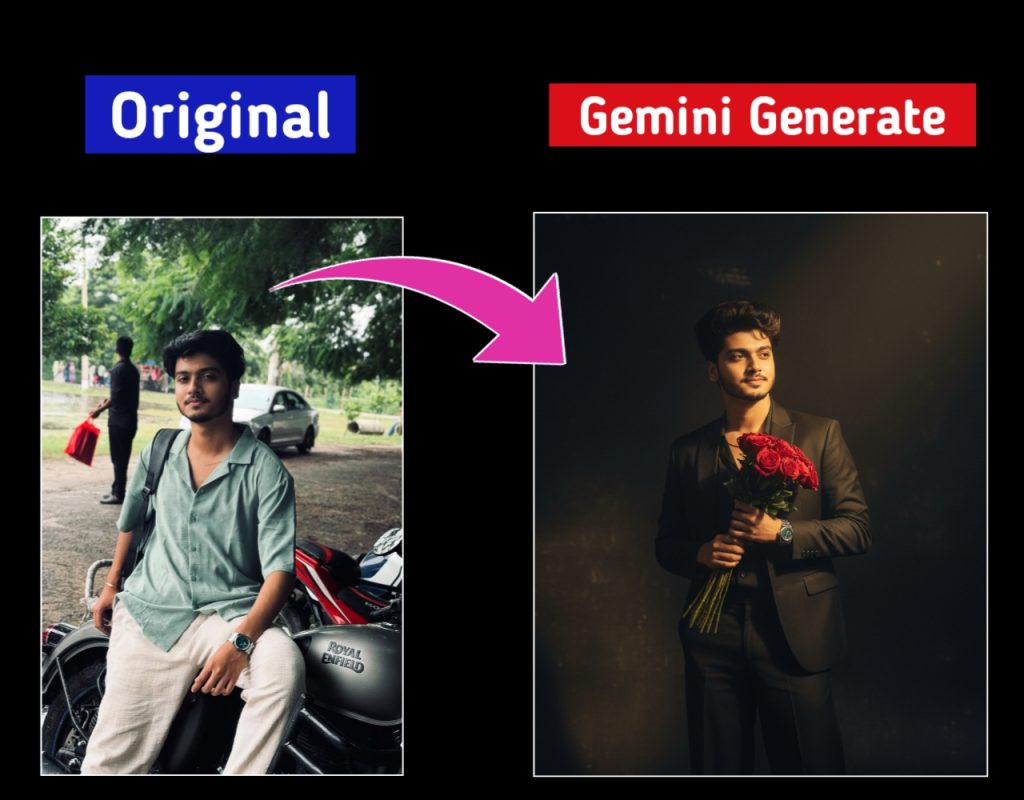
Discover how to transform an ordinary photo into a stunning, ultra-realistic portrait using the power of Google Gemini’s AI image generation.⬇⬇
✅ Step-by-Step Guide to Generating an Image Using a Prompt in Gemini
Step 1: Go to Gemini
- Visit gemini.google.com or open the Gemini app on your phone.
Step 2: Sign In
- Log in using your Google account.
Step 3: Enable Image Input (if required)
- Some accounts may need to enable image generation or switch to Gemini Advanced.
Step 4: Upload Your Photo
- Now upload a selfie or reference photo by clicking the camera icon or “Upload Image”.
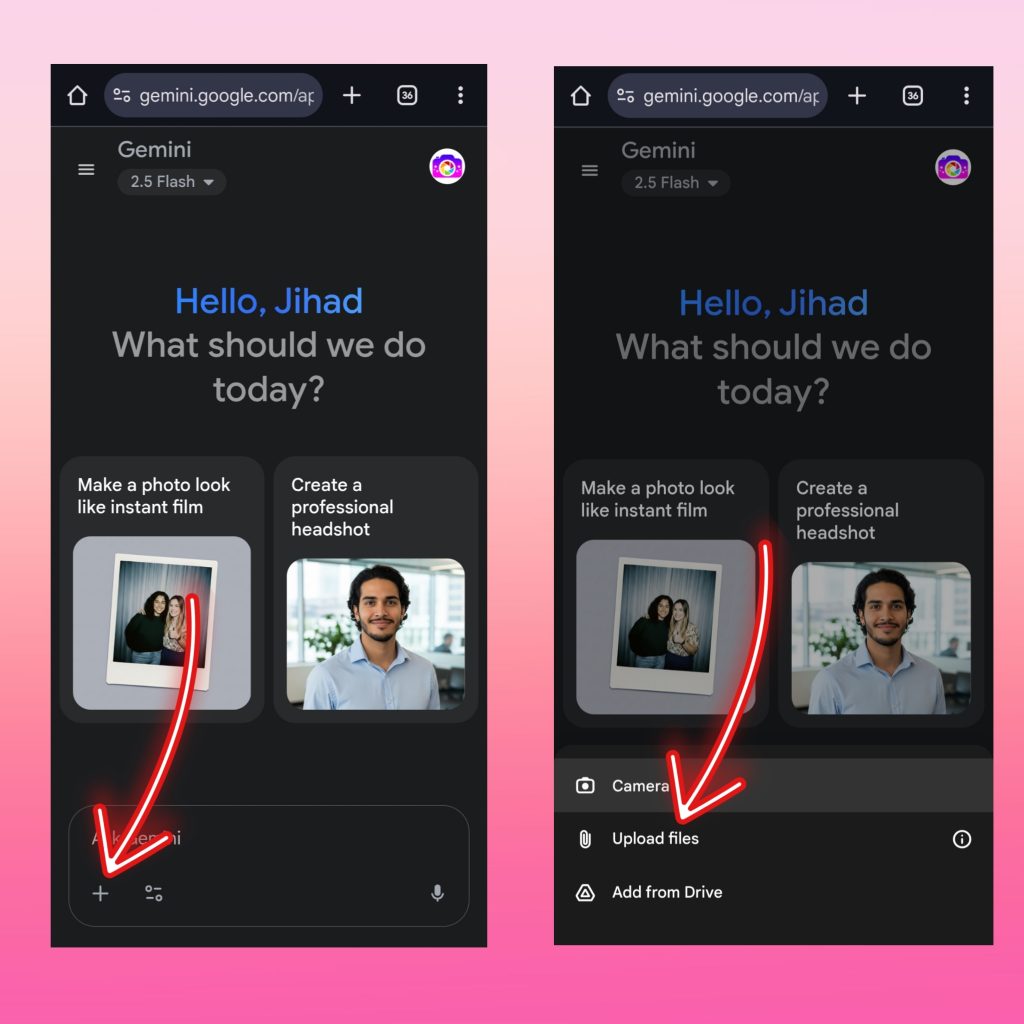
Step 5: Paste the Prompt
- Copy and paste your prompt into the text box.
Here’s your example prompt:⬇⬇
“Dramatic shadows. Ultra-realistic cinematic portrait of a stylish young man standing against a dark, minimal background with a soft golden sunlight beam casting. He is wearing a crisp, elegant black suit (blazer and wide-leg trousers) with one hand casually in his pocket and the other holding a bouquet of red roses close to his chest. His hair is voluminous and slightly tousled, styled naturally with texture. His expression is serene and confident, basking in the warm sunlight.“
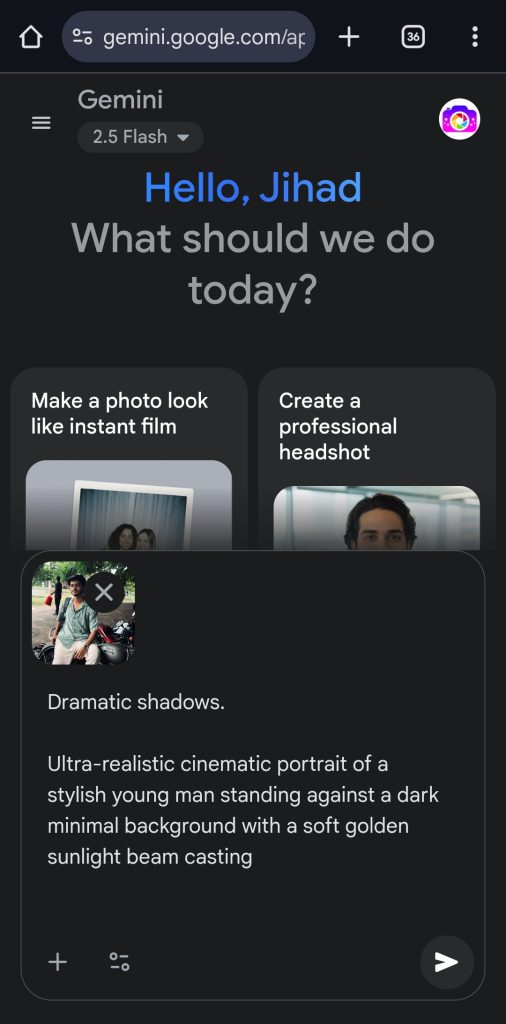
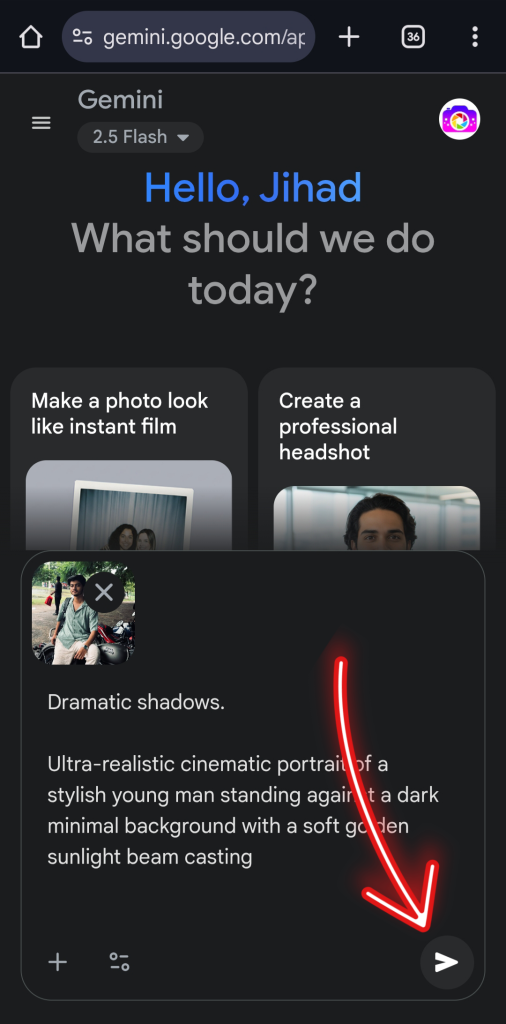
Step 6: Submit the Prompt
- Press Enter or click the send button.
Step 7: Wait for the Result
- Gemini will take a few seconds to process and show the generated image. ⬇⬇
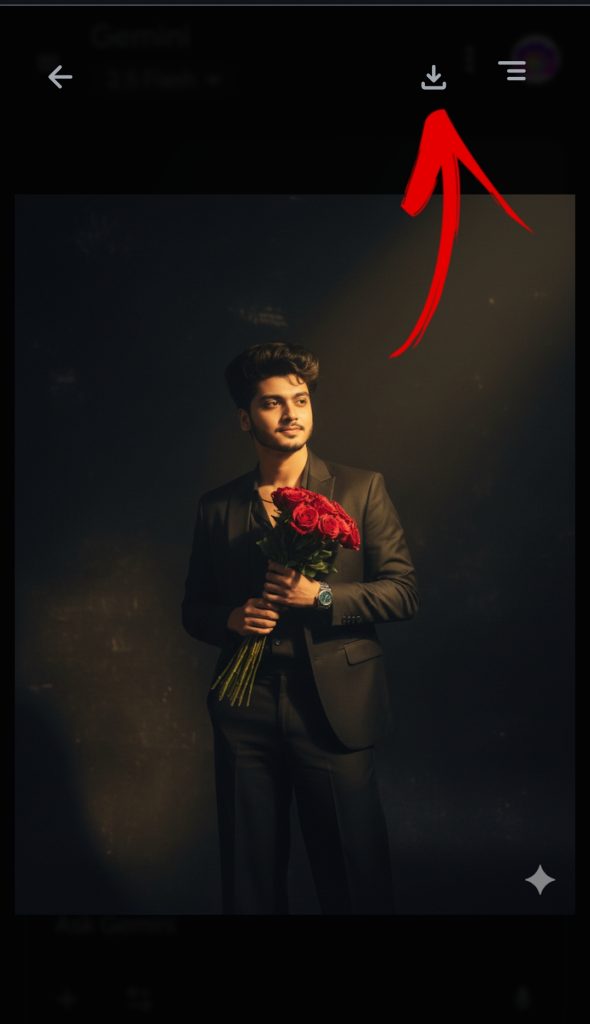
Step 8: Download the Image
- Once generated, you can save or download the image by right-clicking (on desktop) or holding (on mobile).
In just 8 simple steps, your photo transformation is complete. With Google Gemini, you can effortlessly generate ultra-realistic images using any creative prompt.
Tips:
- If the image doesn’t look right, tweak the prompt and try again.
- Use clear, visual words in prompts for better results.
- Try uploading multiple photos for more personalized outputs.
See More Post: Best Ai Profile picture Generator
Google Gemini offers powerful AI tools designed for content generation, image creation, and visual storytelling. With features like prompt-based image generation, natural lighting effects, and cinematic styles, it helps creators produce high-quality, ultra-realistic visuals effortlessly.
Using Google Gemini in your creative workflow can significantly enhance the quality of your blog visuals and storytelling. Its ability to turn simple prompts into cinematic portraits saves time while delivering professional-grade results. For WordPress vlog posts, Gemini adds a unique visual appeal that keeps your audience engaged and boosts overall content value.
Creating cinematic AI portraits is no longer reserved for professional photographers. With tools like Gemini AI and a carefully written prompt, you can create mesmerizing images that tell powerful stories. Whether it’s for your blog, personal project, or creative brand, this style will give you the edge.
Ultra-Realistic AI Portrait With Gemini. Ultra-Realistic AI Portrait With Gemini. Ultra-Realistic AI Portrait With Gemini. Ultra-Realistic AI Portrait With Gemini. Ultra-Realistic AI Portrait With Gemini. Ultra-Realistic AI Portrait With Gemini.